
Tech Savvy Seniors - Take, Save and Share Great Photos
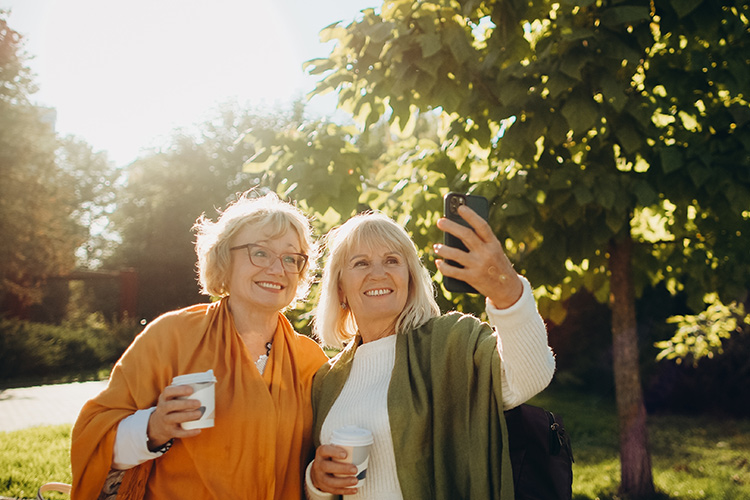
Step away from feeling unsure about your phone’s camera and into confidently capturing life’s everyday moments. This beginner friendly short course introduces you to taking, organising, editing, and sharing photos and videos in a relaxed, supportive environment — no prior experience required.
Why You’ll Love This Course:
In this course, you will:
- Feel confident using your smartphone or tablet camera
- Learn how to take clearer, better framed photos and short videos
- Build confidence through guided, hands on practice
- Save, organise, and share your favourite moments with ease
What You’ll Learn:
- How to open and use the camera app on your smartphone or tablet
- Simple techniques for taking great photos and videos (lighting, focus, framing)
- How to find, view, organise, and delete photos and videos
- How to make basic edits like cropping, brightening, and trimming videos
- How to safely share photos and videos via messages or email
- Practical tips for privacy and consent when sharing images
- How to keep practising and improving after the class
Who This Course Is For:
This course is perfect for:
- Absolute beginners to smartphone photography
- Adult learners wanting practical, everyday digital skills
- Anyone who takes photos but isn’t sure where they go or how to share them
- People who want a calm, supportive learning environment
No prior experience or special ability is required.
Prerequisite:
This session is for:
- People over 60
- People over 50 with a lifelong disability
- Aboriginal or Torres Strait Islander people over 50.
Tech Savvy Seniors is an initiative of the NSW Ageing Strategy and is funded in partnership between the NSW Government and Telstra.
What’s Included:
- All learning materials provided
- Step by step guidance from an experienced tutor
- Small, friendly class sizes
- Hands on practice using your own device
- Practical skills you can use immediately
What to Bring:
- Your smartphone or tablet
- Charging cable
- Glasses if you use them for reading
About the Tutor:
Your tutor is an experienced digital skills educator who specialises in teaching adults and seniors how to use everyday technology with confidence. They understand that smartphone cameras can feel confusing — especially when photos seem to disappear or don’t turn out as expected. With a calm, patient teaching style, your tutor explains each step in plain English and demonstrates everything before guiding you through hands on practice. They create a welcoming, pressure free environment where mistakes are part of learning and questions are always encouraged. With strong experience in community education, your tutor focuses on practical, real life skills — helping you feel confident capturing, organising, and sharing the moments that matter most.
Your Learning Experience at SGSCC:
SGSCC offers welcoming, inclusive short courses designed for adult learners. Our experienced tutors create supportive environments where questions are encouraged and confidence grows naturally. With small class sizes and a strong sense of community, SGSCC focuses on practical learning that genuinely improves everyday life.
Book your place and learn in a supportive community.
Other Information:
- To ensure resources are ready for you at the start of your course, we ask you ideally enrol at least one week before the course commences.
- All courses need a minimum number of students to run (we try our hardest to get those). If your course does not have enough students it will be cancelled before the commencement and you will be informed.
This smartphone photography course in Sydney is ideal for adults looking to learn how to take, save, and share photos and videos with confidence. SGSCC offers practical adult short courses in NSW designed to support lifelong learning in a friendly, community based environment.
<p>Step away from feeling unsure about your phone’s camera and into confidently capturing life’s everyday moments. This beginner friendly short course introduces you to taking, organising, editing,
...
Site Directions
West side of Jannali, closest cross street is Louise Street.
There is free onsite parking available and ample on road parking (not metered) if the car park is full.
Public Transport
From Jannali Station walk to the West side along Jannali railway (heading towards Sutherland), the fourth street on the right is Louise Street. Jannali Centre is at the end of Louise Street
Other Information
To view a map of the Jannali Centre, please click here: [Jannali Venue Map](https://ish-oncourse-stgeorge.s3.ap-southeast-2.amazonaws.com/4dc4e124-20ec-4d56-9b09-4a8bc2edf24f)
- For room directions on weekdays (9am-5pm), please use the on-site signage or visit the main reception for directions to your room.
- For room directions on evenings and Saturdays, please use the on-site signage or look for the Customer Service Representative for assistance.
- For evenings (Mon-Wed) and Saturdays, there is a customer support number: 0403 364 875 [Please note this number is only operational between 5-9pm, Mon-Wed and 8:30am-4:30pm, Saturday]
- On-site Cafe open Monday to Friday 8:00am-3:00pm, Sat 8:30am – 1:30pm. Outside these hours, there are drink/snack vending machines onsite.
- Accessible toilet and ground-floor wheelchair access available
Sessions
| When | Time | Where | Session Notes |
|---|---|---|---|
| Wed 9 Sep 2026 | 1pm - 4pm (UTC+10:00) | E8 Computer Room - Jannali Centre |